
Below are answers to frequently asked questions about the Video Chat feature in Blue Kik X.
Video chat is a brand-new feature in Blue Kik X that allows users to voice or video call each other in the app. When Kik removed it in 2019, my goal was to bring it back, and now it's available.
Because the video chat service and relay servers are hosted entirely by us, the feature exists completely outside of Kik's ecosystem. Currently, this feature is only available for Blue Kik X users.
Making a call is easy!
However, to preserve privacy and prevent spam, calls will only go through if the person you are calling has explicitly enabled "Allow Incoming Calls" for you in their settings.
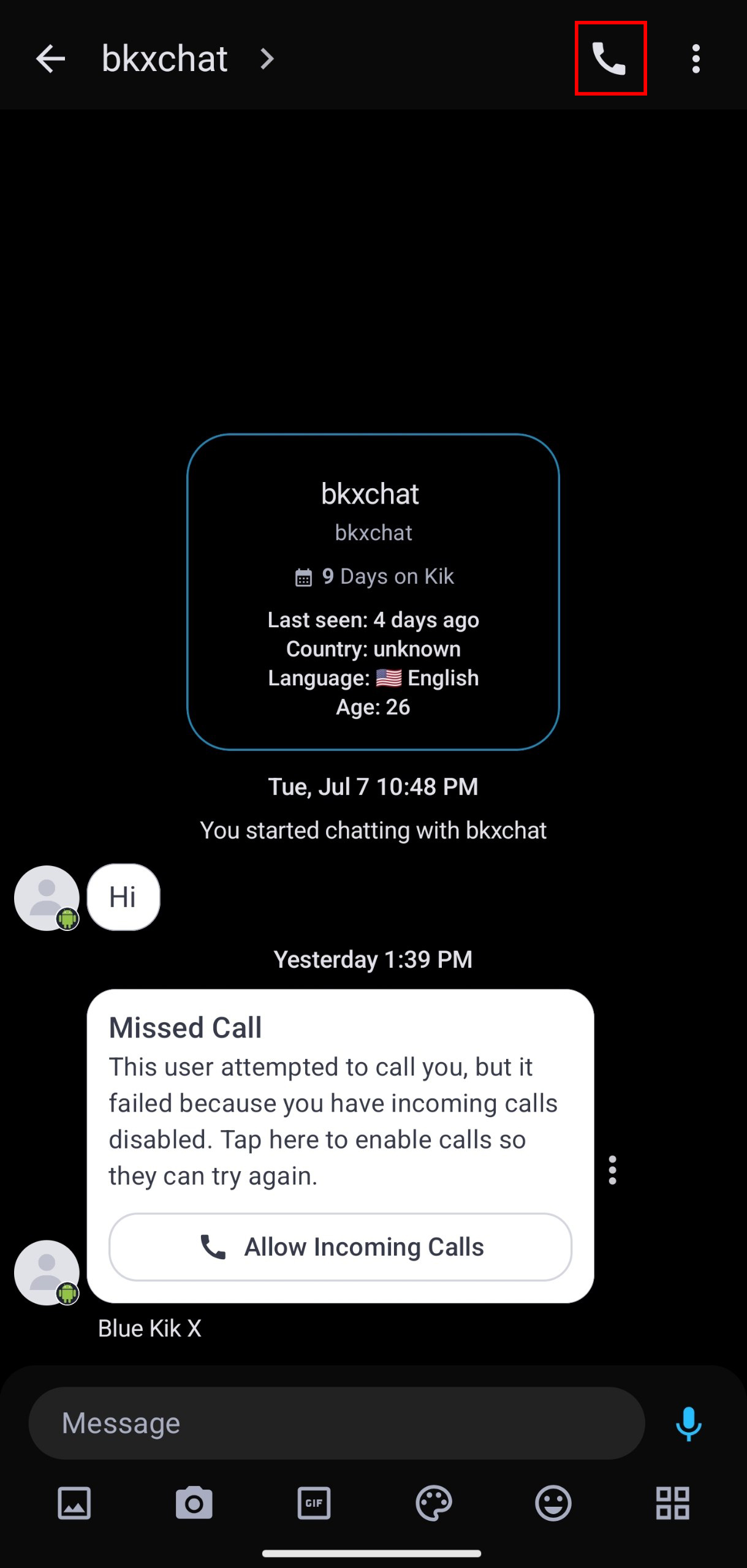
By default, incoming calls are disabled to protect your privacy and prevent other users from using it to check if you are using Blue Kik X. Nobody can call you unless you allow them to.
To enable incoming calls from a specific user:
Once enabled, you will receive a standard incoming call notification when they call you.
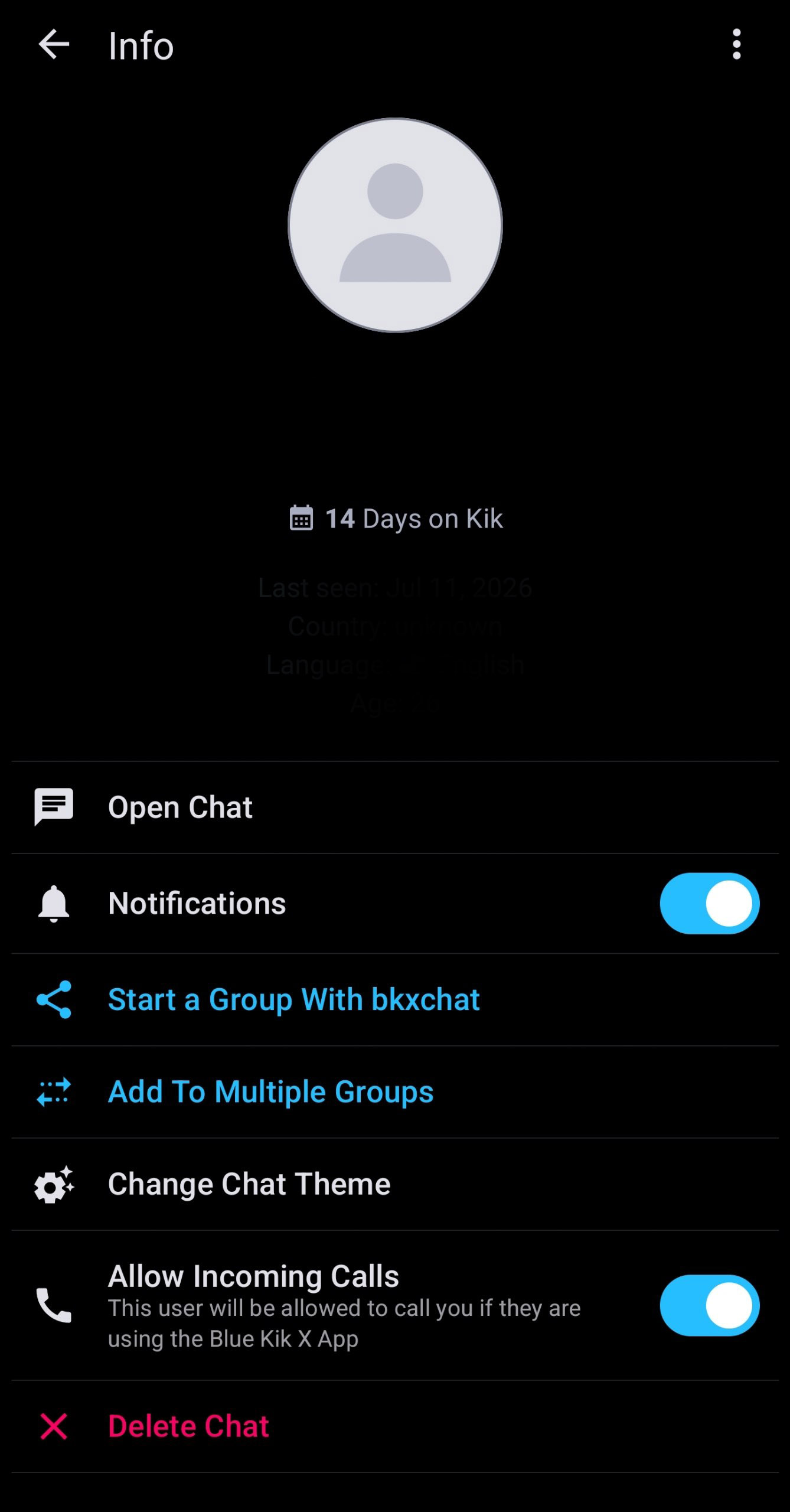
Note: if you have a user blocked or they are not on your friends list, the call will never go through.
Also: once you join a call, only audio is enabled by default (for 1:1 conversations). Video is always turned off until you manually turn it on for privacy reasons.
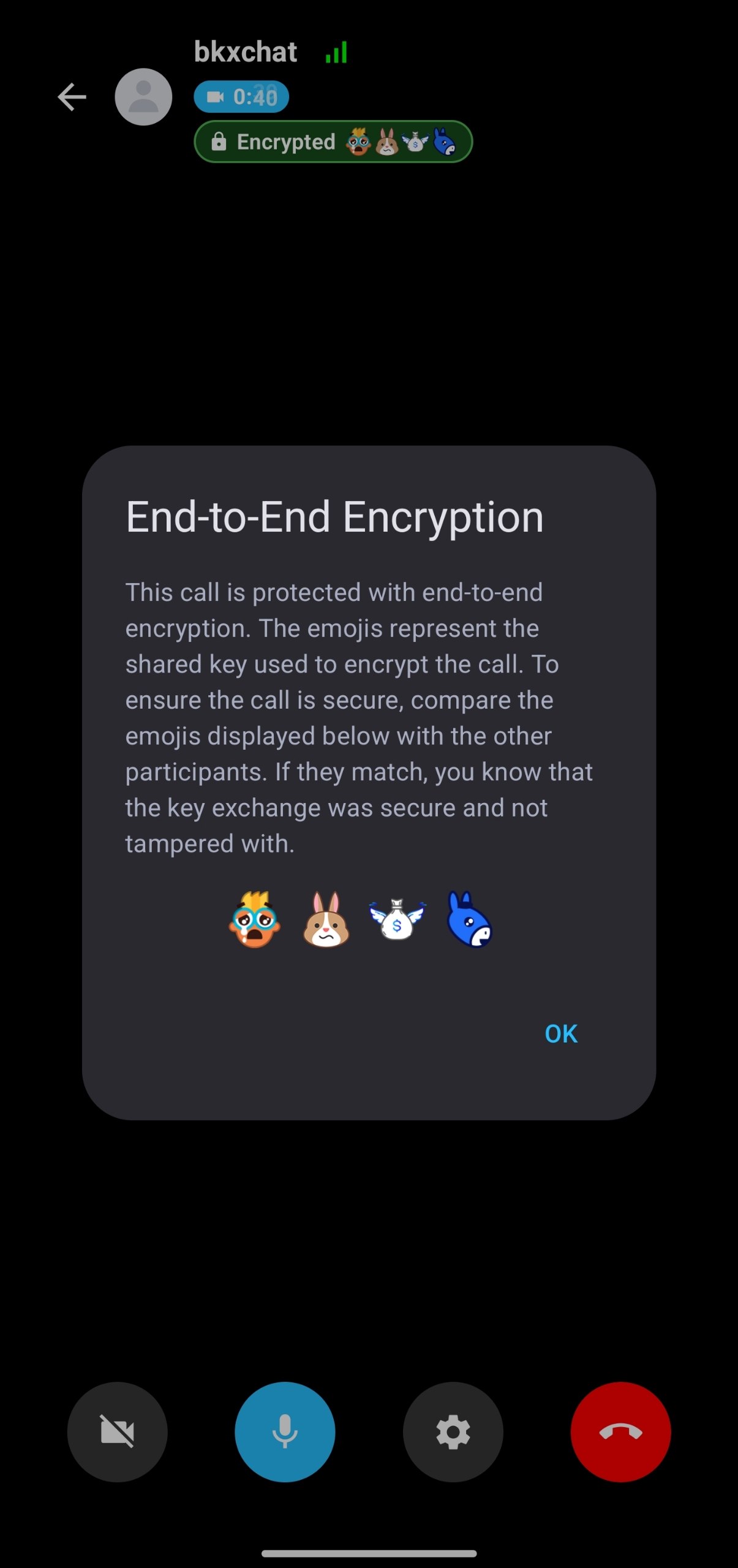
Yes, all video and voice calls are fully end-to-end encrypted.
Before any video or audio data is exchanged, both clients securely establish a connection using a quantum-resistant ML-KEM / X25519 key exchange hybrid. This ensures that all communication is securely encrypted.
Because of this, nobody outside of the call (including me) can decrypt, monitor, or listen to anything you say or do in a video chat.
To verify that the encryption keys are not tampered with, each call has a four-emoji fingerprint which derived from the keys that were exchanged. You can compare these emojis with the other participants to ensure that the key exchange wasn't tampered with.
I understand since the app is not fully open source (difficult to do because we are dealing with Kik security and open sourcing that could sabotage the project) you may not trust the end to end encryption.
For now I've provided the relevant parts so you can see how it works and check the key exchange algorithm I'm using and look for flaws in it (the same code is in the app with no obfuscation applied so you can check)
For your privacy and convenience, if you lock your screen, switch to another app, or navigate away from the video chat screen, Blue Kik X will automatically turn off your camera so you aren't broadcasting video unintentionally.
Your microphone will stay active so you can continue your conversation, and any active screen share will persist in the background unless the screen is physically turned off. Smart audio routing will also ensure that holding the phone to your ear automatically switches the audio to the earpiece!
Terms of Service
What data do you collect / have access to?
Currently, the initial implementation only allows for 1:1 (Direct Message) calls.
Support for group calls is planned and will be added in a future update.